🗺️ Roadmap — Recorded E2E Walkthrough
Captured by a Playwright run driving the real local stack (nginx → dev-authz → Go backend → Postgres) against the FINA Core project. Every screenshot below is the actual shipped UI; every percentage is computed by the real backend + frontend.
:3901) + frontend (:3902) + the dev-authz sidecar were started from the feature worktrees with env from the original clones, served over https://tmlocal.silqfi.xyz. The new ticketmanager:roadmap:read/write route permissions were provisioned to the staging identity DB (PR #212 “Ok to deploy in platform staging” → auth-migration step) so the routes authorize locally. A Playwright spec (e2e/tests/roadmap-demo.spec.ts) then drove the whole flow as a super-admin, capturing the screenshots and video in this folder.
1 Enable the Roadmap in Project Settings
The Roadmap is opt-in per project (off by default, like the QA boards). Under Project Settings → General → Filters, a super admin flips Enable Roadmap on and saves.
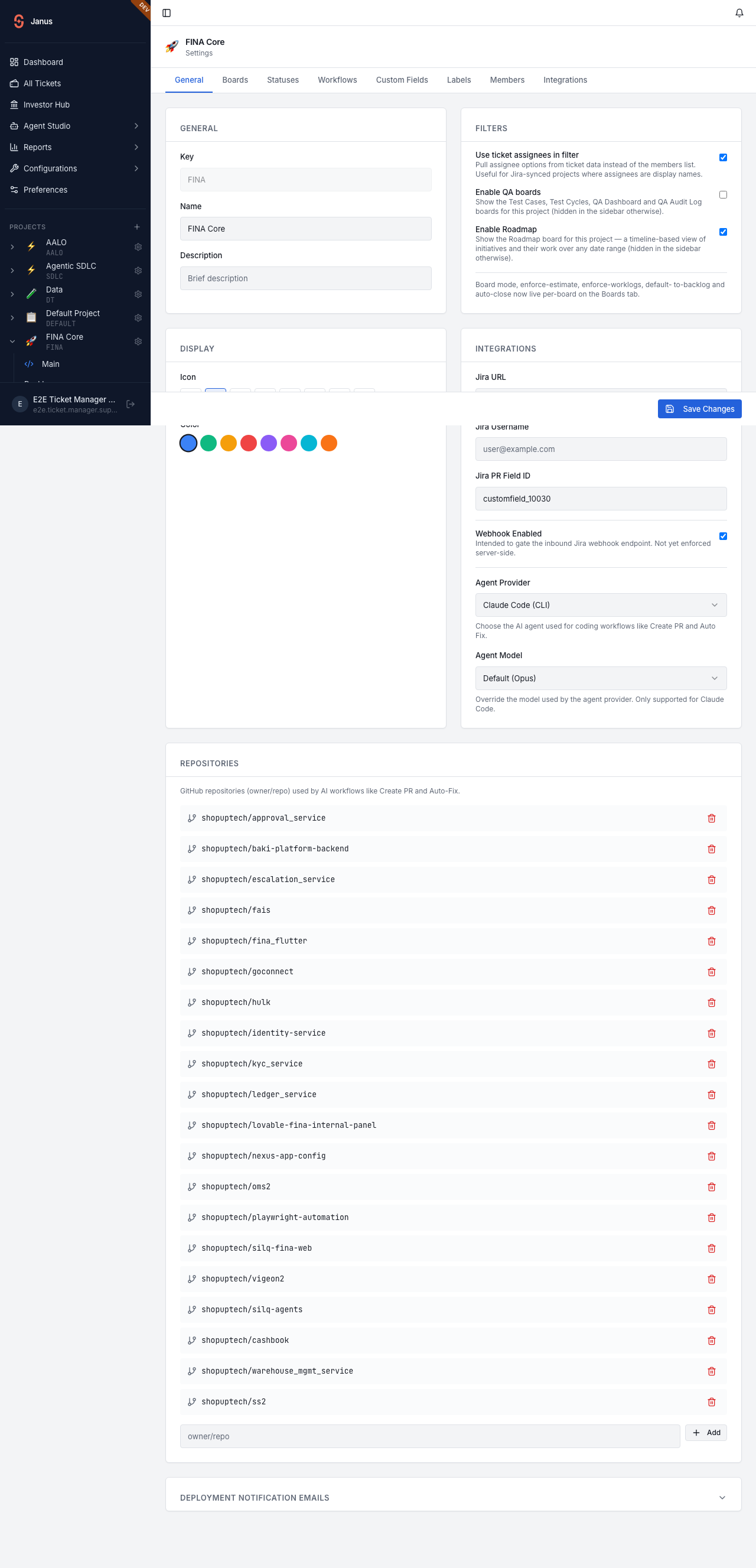
PATCH /projects/{id} {roadmap_enabled:true}.2 The Roadmap board (empty state)
With the flag on, a Roadmap entry appears under FINA Core in the sidebar. The board starts empty and prompts to create the first timeline.
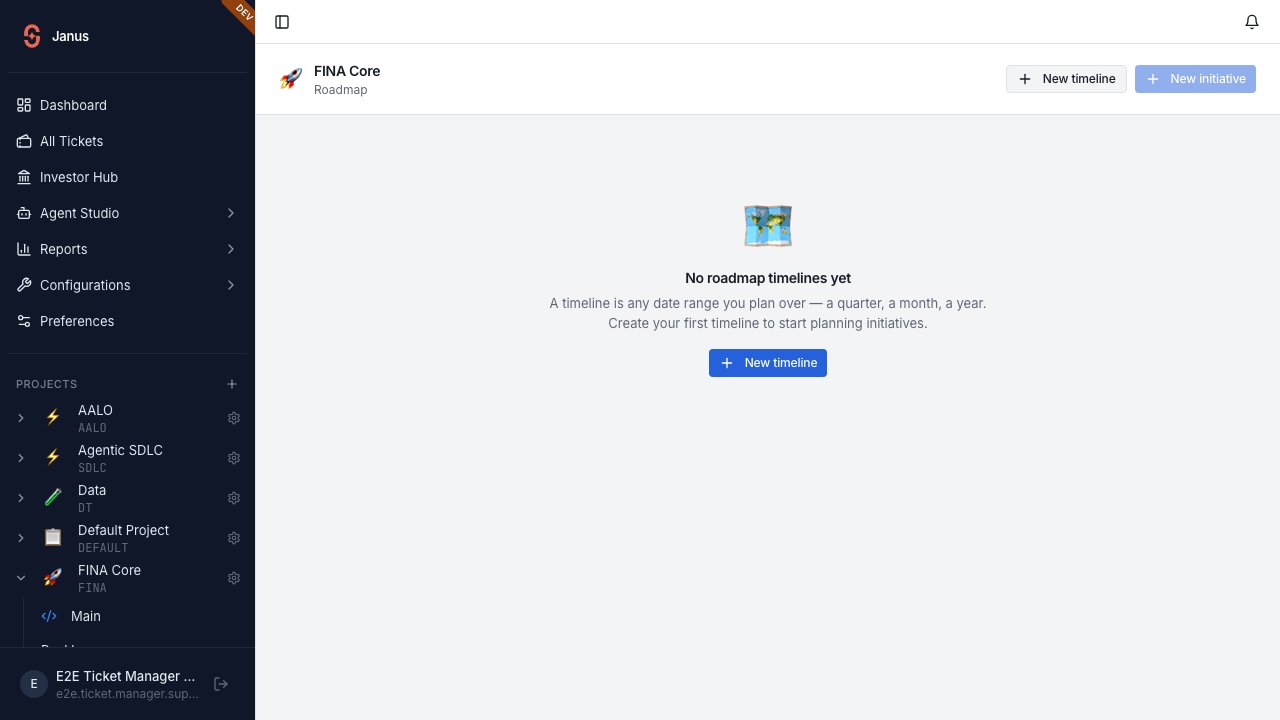
/project/FINA/roadmap — “No roadmap timelines yet”.3 Create a timeline (a label + date range)
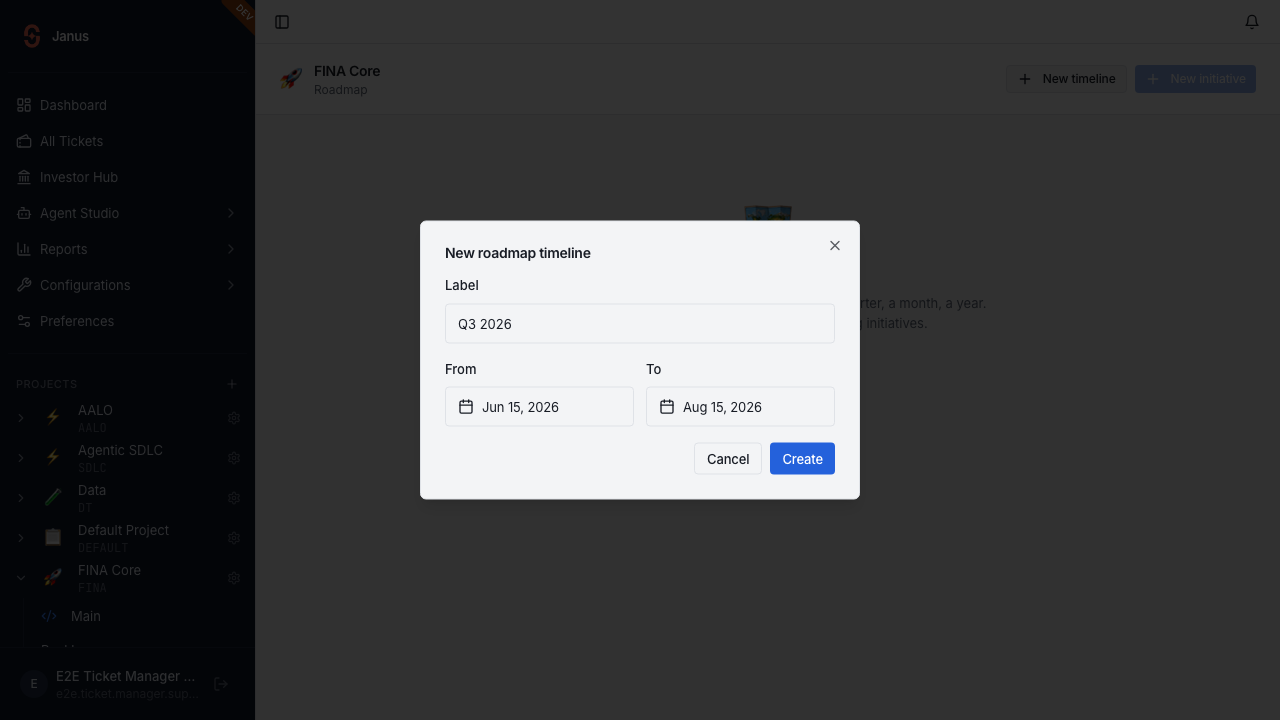
Q3 2026 · 15 Jun → 15 Aug 2026.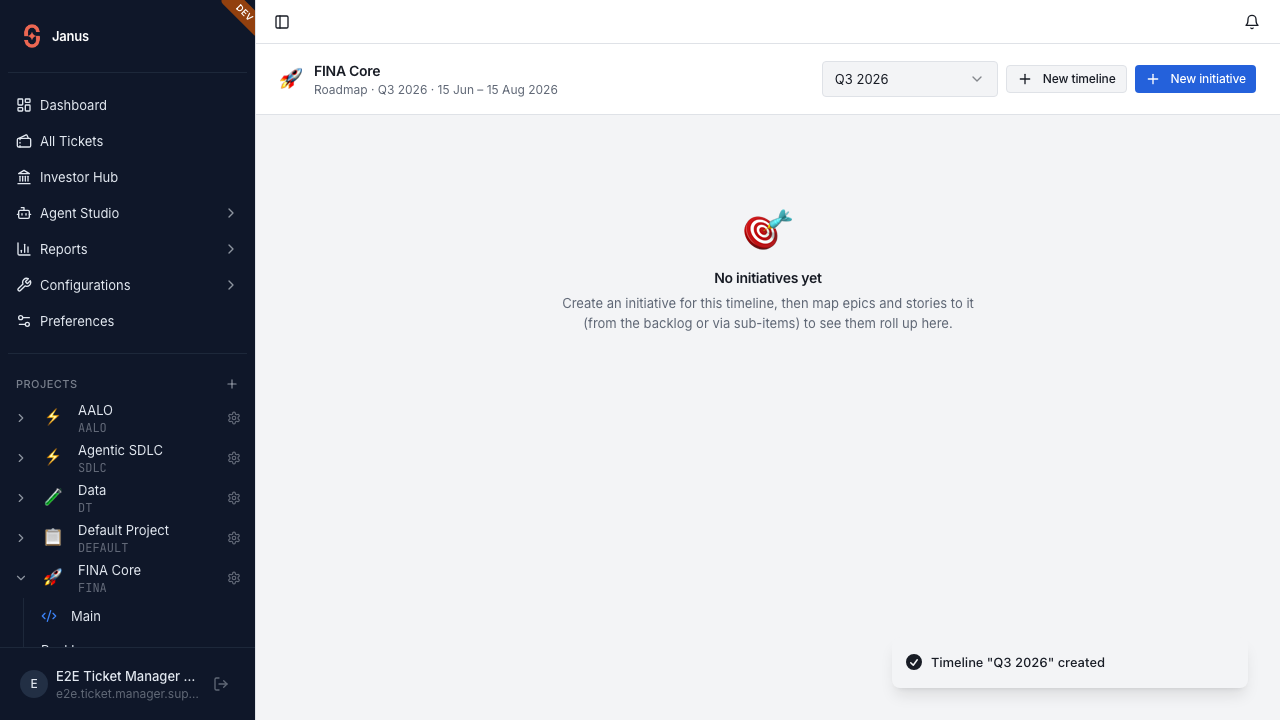
Backend: POST /projects/FINA/roadmap/cycles (route name kept) creates a sprint row with kind='roadmap', board_id=NULL, and the start_date/end_date range — invisible to every sprint query.
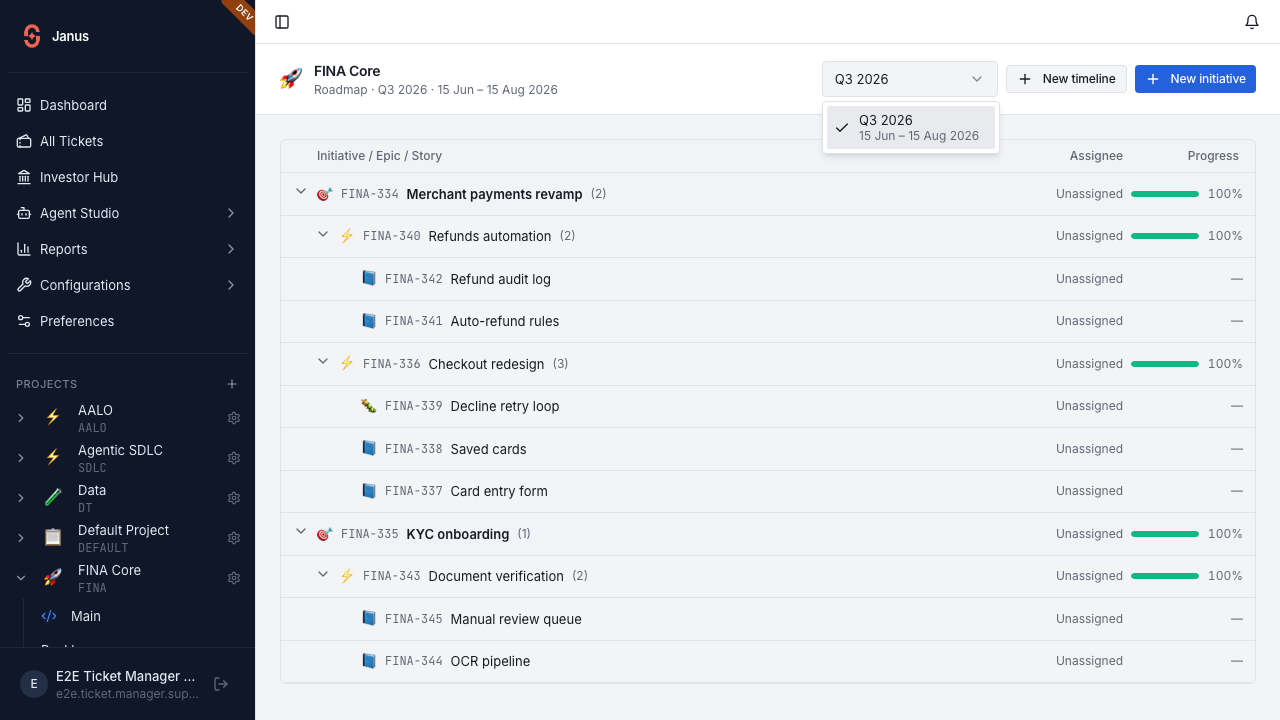
Q3 2026), while each option stacks the label over its date range — so a project can run any cadence (a quarter, a month, a year) side by side.4 Create initiatives from the board
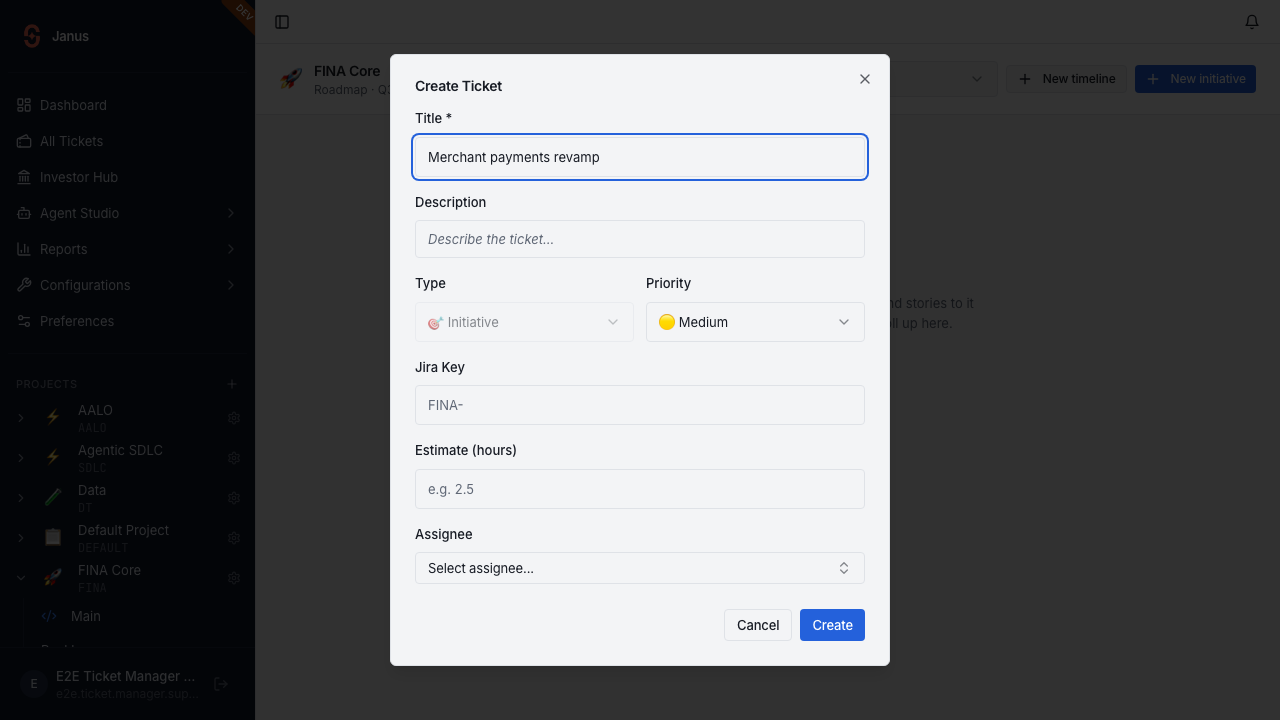
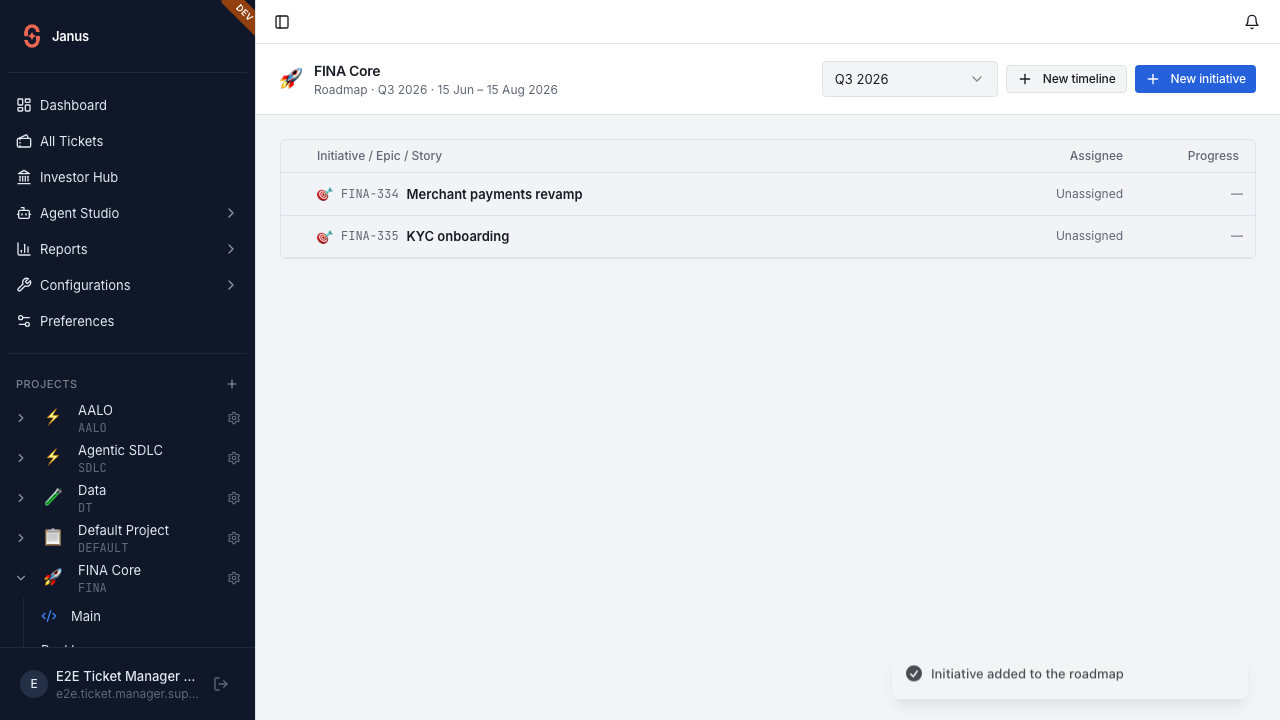
“New initiative” opens the create dialog with the type locked to Initiative (🎯). On save it’s linked to the active timeline. Two are added: Merchant payments revamp and KYC onboarding.
5 Map epics & stories — the tree at 0%
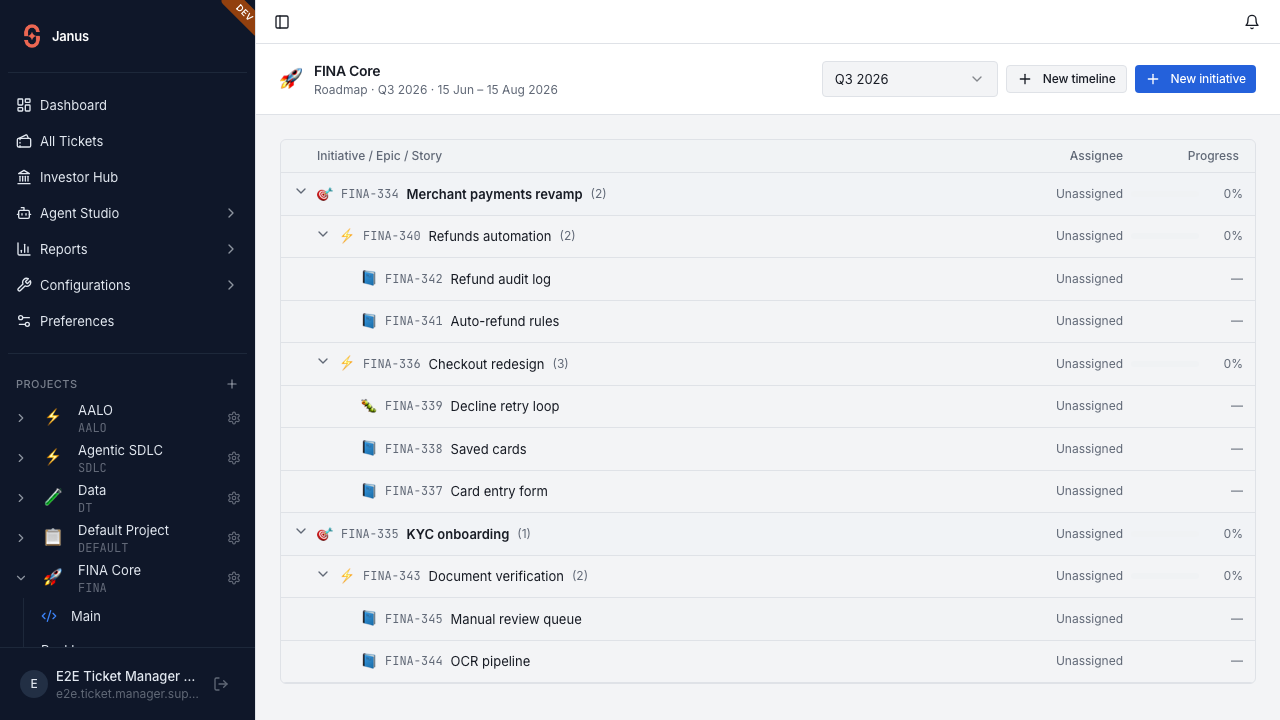
Epics, stories and a bug are mapped under the initiatives (via parent_id). The board renders the real backlog-style collapsible tree — Initiative → Epic → Story/Bug — with real ticket keys. Nothing is done yet, so every roll-up reads 0%; leaf rows show —.
6 Move tickets to done — the bars climb
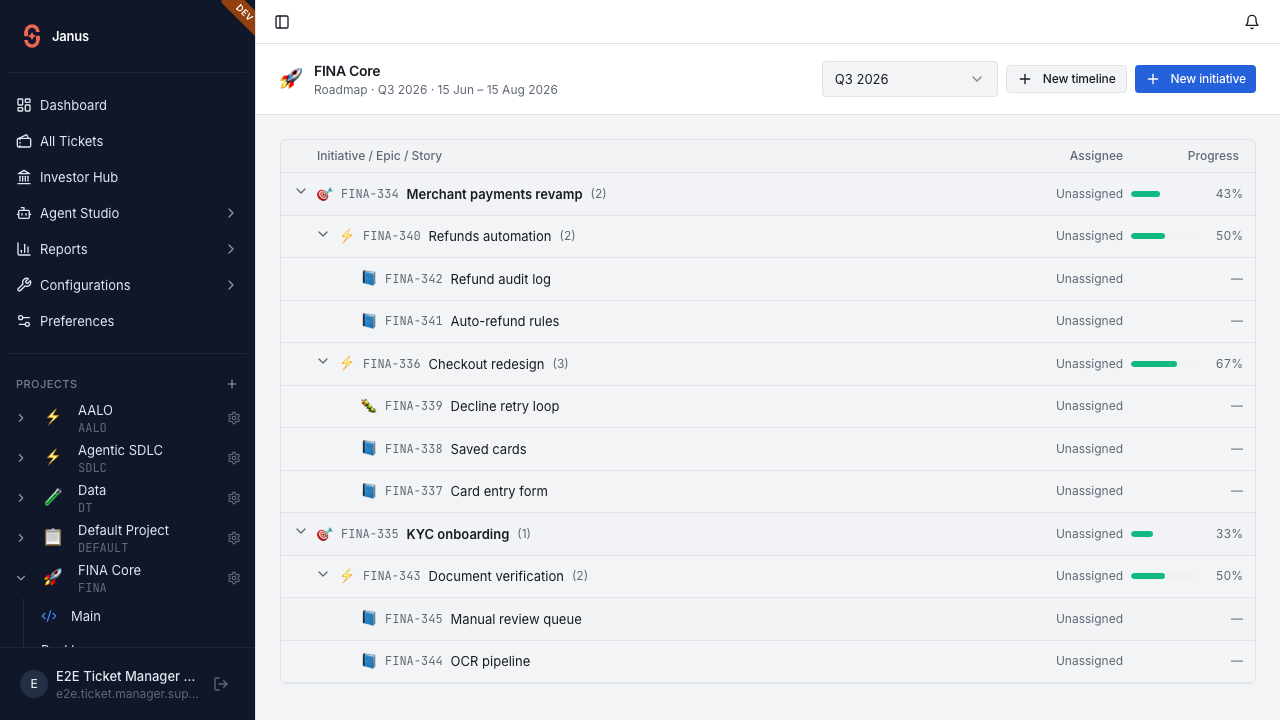
As stories complete, the roll-up updates. Here four items are done; the green bars fill and the percentages rise.
7 Close out the work — roll-ups reach 100%
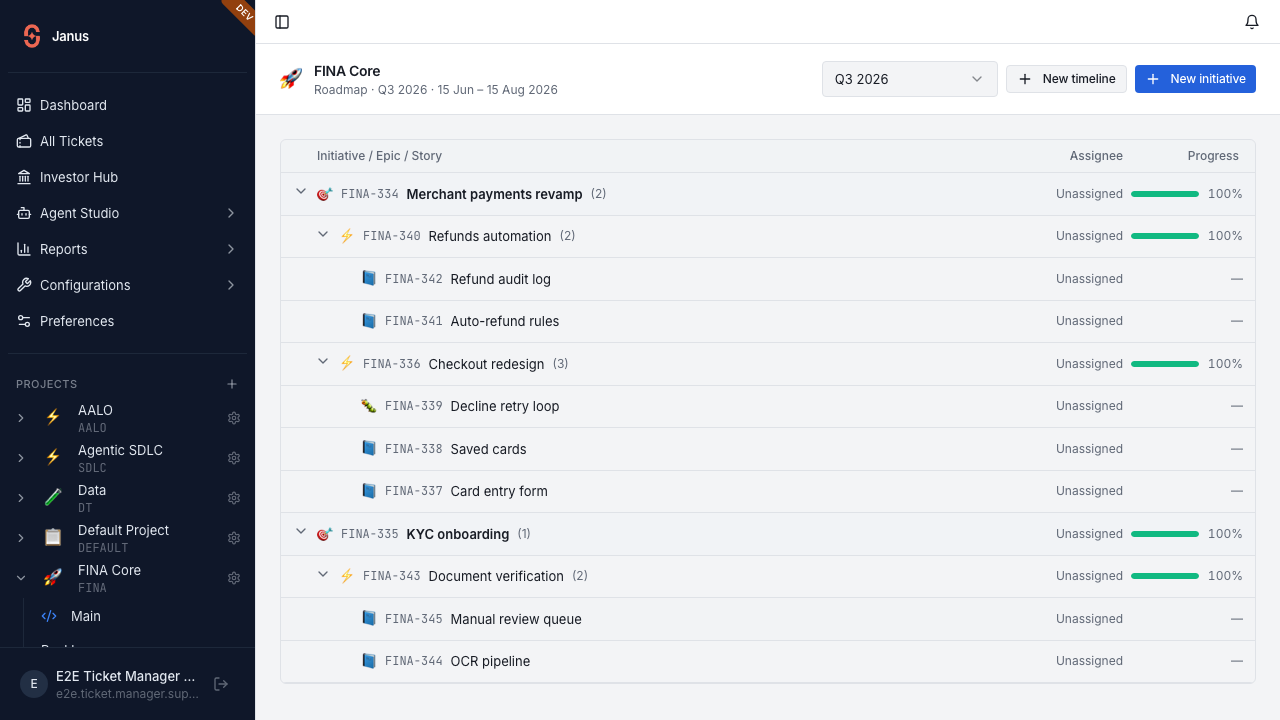
Finishing the remaining stories (and the backend auto-closing each epic once all its children are terminal) drives both initiatives to 100%.
| Initiative | Mapped | Mid | Final |
|---|---|---|---|
| FINA-286 · Merchant payments revamp | 0% | 43% | 100% |
| FINA-287 · KYC onboarding | 0% | 33% | 100% |
▶ Full screen recording
The complete Playwright run end-to-end (settings → timeline → initiatives → mapping → status changes → 100%).